
Events: publish news and send push notifications
Create an Eatery Club news post: choose cities, add an image and translations, schedule publication, and check the push notification.
Updated: 09.09.2026Use Events («Події») to create news and promotion announcements for the mobile app and web ordering pages that have a news feed. Publishing an event also starts a push notification send to the relevant audience.
Check the content, cities, and translations before creating an event: it is a guest-facing message, not an internal note.
Create a news post
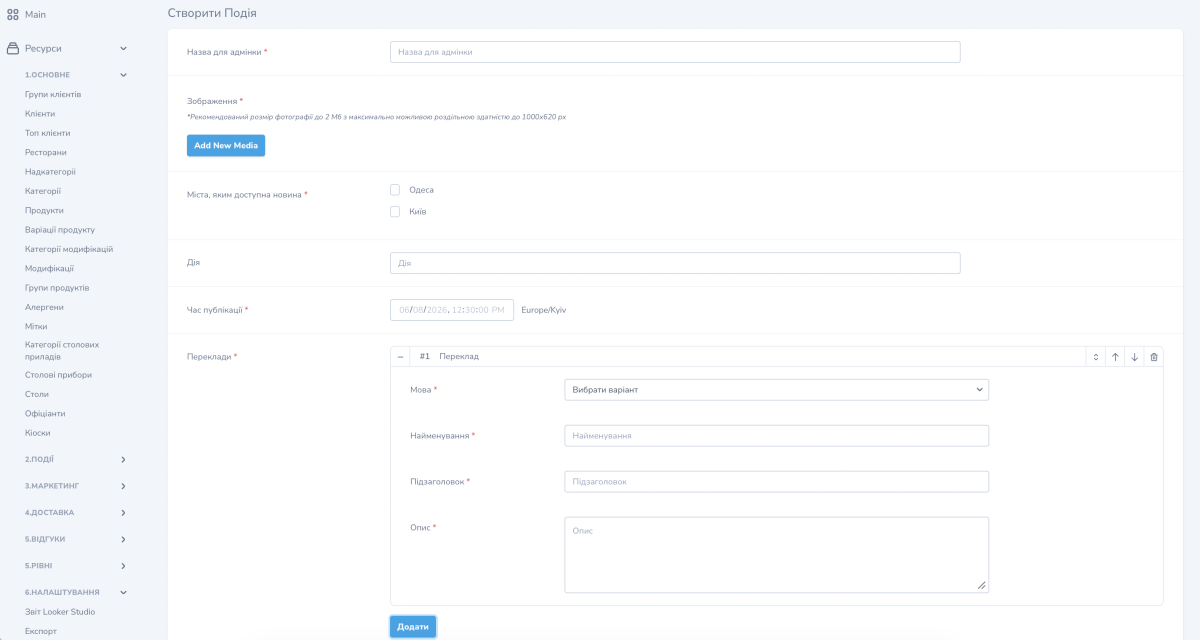
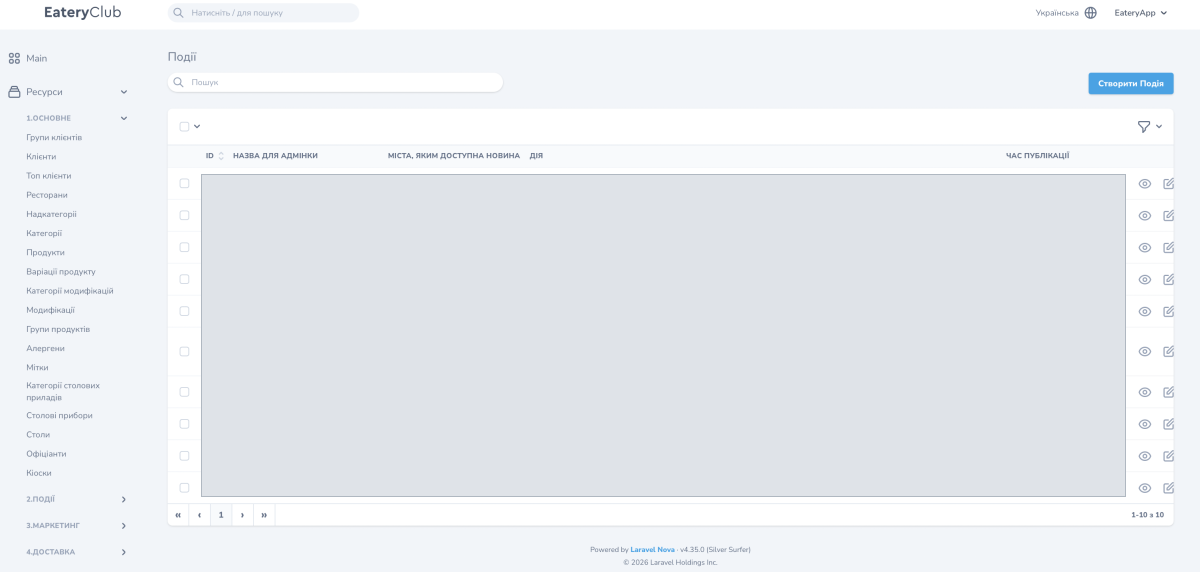
- Open Events («Події») and select the button to create an event.
- Enter an internal admin name. You will add the guest-facing title in the translations.
- Add an image. The form recommends a file up to 2 MB with a resolution up to 1000×620 px.
- Under Cities where the news is available («Міста, яким доступна новина»), select the relevant cities. This selects a city, not a neighborhood or delivery zone.
- If needed, enter an Action («Дія»): a link or phone number the guest can open from the post.
- Set a future publication time. Check the time zone shown next to the field and allow time to review the post before it goes live.
- In Translations («Переклади»), add each active language and complete the name, subtitle, and description.
- Review the cities, every language version, image, action, and time. Save the event using the create button.
Who receives the message
News availability depends on the selected cities and completed translations. Guests who have not selected a city are covered by a separate option in push settings. Check it if the send should reach only guests from specific cities.
Complete every active language. Without a translation in the guest’s language, the push is not sent. Delivery also depends on notification permission and device settings. A bulk send is processed gradually, so do not plan around every guest receiving it at the same instant.
Check after publication
- Open the news post in the app or web feed for a selected city. Check its title, text, image, and action destination.
- Check the post in the other active languages.
- Review the event’s detail page in the admin panel. Available reactions are managed in the Emojis section.
Related guides: emoji reactions, vertical stories in the app, and automated notifications.
