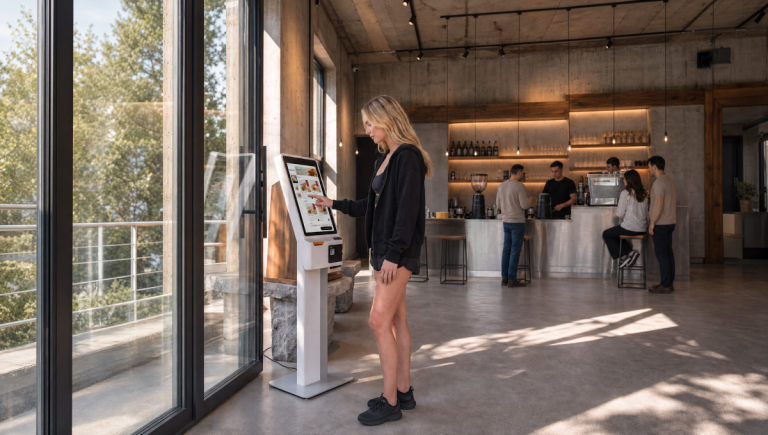
Self-Service Kiosks
Kiosk software for restaurants: your menu, orders and loyalty. Payment options depend on your setup.

Your restaurant already runs Poster and you are choosing what to add for guests. What the POS covers, what a kiosk adds, setup and cost components.
Kiosk software for restaurants: your menu, orders and loyalty. Payment options depend on your setup.



The guest browses the full menu on screen and builds the order themselves. Photos, descriptions and modifiers are all there, including the sides, upgrades and desserts that are easy to miss at a counter.
The screen offers add-ons during checkout, with a photo and a single tap to add them. It offers them at busy times as well as quiet ones.
Let's Smash, a burger brand in Ukraine, built its service around kiosks. The figures below come from our published case study for that brand, covering the second quarter of 2026.
Kiosk orders reach the connected POS with their modifiers. Loyalty follows your configured rules. Menu updates follow the POS integration; promotions can apply across services or just to the kiosk.
At the kiosk the guest picks the items, adds modifiers and pays at the screen, so the order reaches your POS without anyone retyping it.
Staff take cash payments, handle refunds and answer questions about dishes and allergens. They also help when a payment fails or a printer needs attention.
Review kiosk costs and payback using your order volume, average order value and staffing costs. Decide how to staff the counter after observing service during your busiest shifts.


Kiosks in daily service: taking orders at peak hours, offering add-ons on screen and building dishes with many ingredients.


The kiosk takes orders and payments during peak hours, and the register stays for cash and non-standard cases. The team can focus on preparing and handing over food.


An interactive menu with visual upsells: the kiosk offers sauces, add-ons and drinks during checkout. The offer does not depend on how busy the counter is.


A builder for formats with many ingredients. The guest assembles the dish themselves, and the modifiers reach the POS without being retyped, so the floor staff take fewer orders by hand.
A Single Ecosystem for All Orders
A kiosk that is not connected to your menu becomes a second menu to maintain. You change a price in the POS and the kiosk keeps the old one. You start a promotion and the kiosk does not show it. You add a seasonal dish and it is missing from the screen. Each of those is a correction someone has to remember to make.
The kiosk uses your connected menu. Update POS-owned fields in the POS and manage guest-facing settings in Eatery Club. Check changes before service.
The guest signs in with a phone number or a QR code from the app and sees their points balance. Tiers and bonuses follow the rules of your loyalty program, the same ones that run on your website and in the app.


Menu data follows your POS integration. Check where each field is managed before making changes.
Sign-in by phone number or QR code. Points and tiers are calculated by your loyalty program, including birthday and threshold rewards where you set them up.
Card payments use a compatible terminal. QR payment depends on your setup; cash is paid at the counter.
Kiosk sales sit alongside table, delivery, and app orders in one dashboard.



Frequently Asked Questions
Loading

We use cookies!
Hello! This website uses essential cookies to ensure proper functionality and analytics cookies to understand how you interact with it. Analytics cookies will be set only after your consent.
Cookie settings
Cookie usage 📢
We use cookies to ensure basic functionality of the website and to understand how you interact with it. You can enable or disable each category individually. For more detailed information about cookies and other sensitive data, please read our full Privacy Policy.