
Delivery rules: the text conditions a guest reads
Delivery rules in the Eatery Club admin panel: text conditions for the guest, the rule name field, the active switch and translations into seven languages.
Updated: 07.09.2026«Правила доставки» (delivery rules) are text conditions that the guest reads on the website and in the app. They calculate nothing: the delivery fee, the minimum order amount and the free-delivery threshold all come from delivery zones. Open the section from the «4.Доставка» (delivery) group of the side menu, item «Правила доставки».
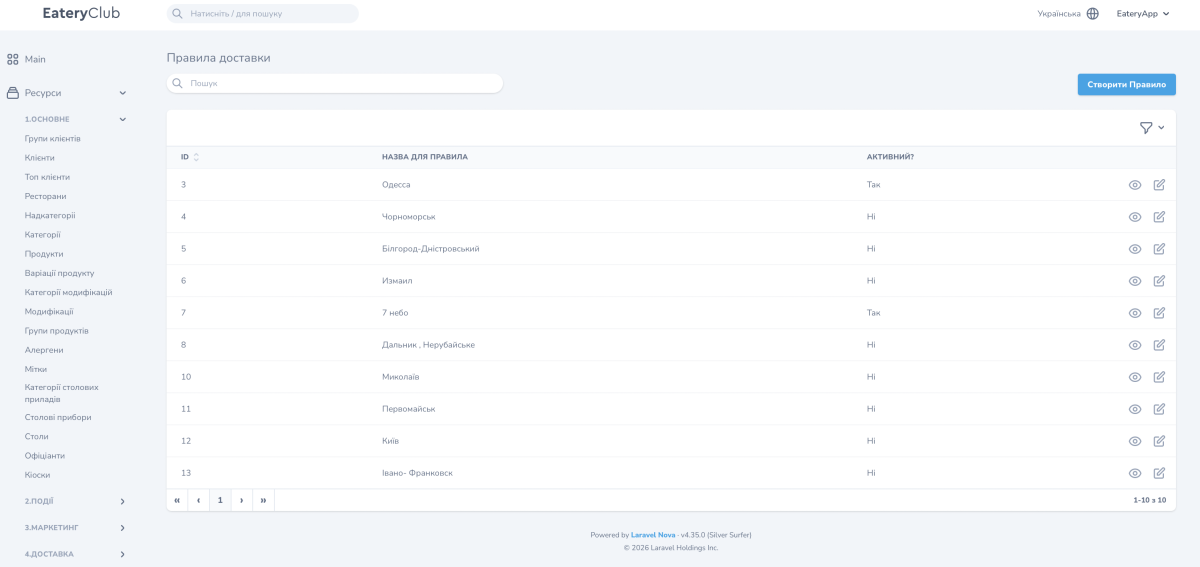
The rule list has three columns: «ID», «НАЗВА ДЛЯ ПРАВИЛА» (rule name) and «АКТИВНИЙ?» (active?).
How a rule differs from a zone
- A delivery zone is geography plus calculation: the delivery fee, the minimum amount, the free-delivery threshold and the lead time. A zone works automatically.
- A delivery rule is text. The guest reads it, but the rule has no effect on how the order is calculated.
When a restaurant charges different fees by district, set that up in delivery zones. Rules are for the cases where the terms also have to be spelled out in words.
Rule fields
- «ID»: assigned automatically.
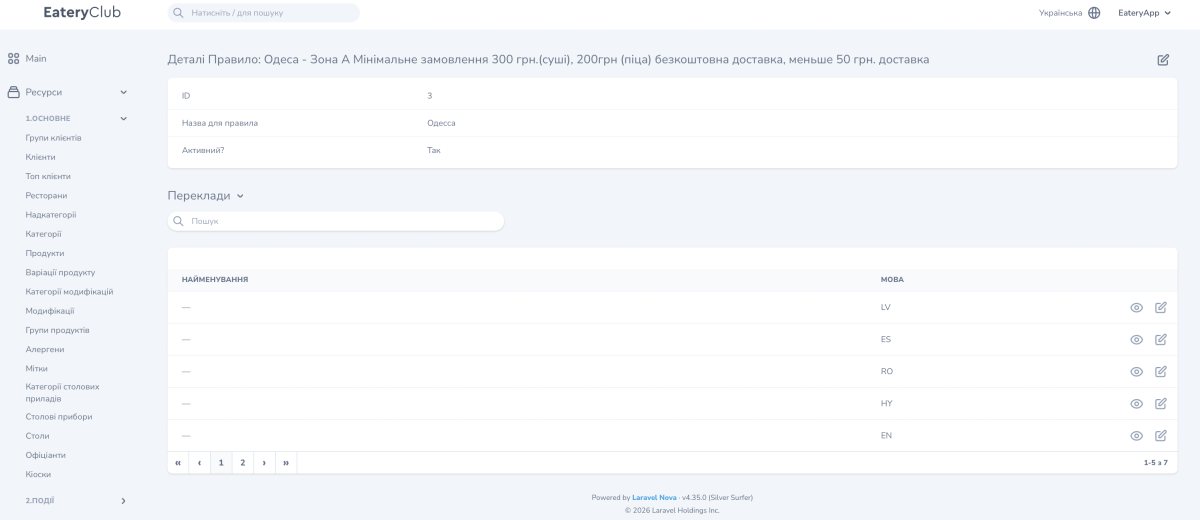
- «Назва для правила»: an internal name, usually a city or a district. The guest never sees it.
- «Активний?»: whether the rule is shown to the guest.
- «Переклади» (translations): a block with one row per language. The «НАЙМЕНУВАННЯ» (name) column holds the text of the terms and the «МОВА» (language) column holds the language code. The screenshot shows LV, ES, RO, HY and EN; there are seven languages in total.
How to create a rule for a new city
- Open «Правила доставки» in the «4.Доставка» group of the side menu.
- Click «Створити Правило» (create rule).
- Fill in «Назва для правила» — the name of the city, for example.
- Set «Активний?» to «Так» (yes) and save.
- Open the rule with the view button and fill in the text of the terms for every language the restaurant works in, inside the «Переклади» block.
Fill in every language enabled in the project.
