
Delivery reviews: search and the rating filter
What the delivery reviews section shows in Eatery Club, how the search box and the rating filter work, and what to do when the list is empty.
Updated: 07.10.2026The «Відгуки доставки» (Delivery reviews) section shows the reviews guests leave about delivery itself. General guest reviews are kept separately, in the «Відгуки» (Reviews) section.
Both sections sit in the sidebar under the «5.Відгуки» group.
Search and the rating filter
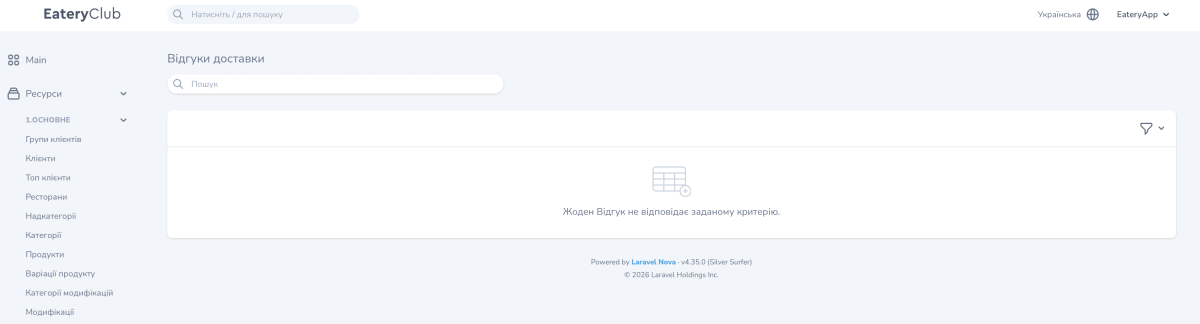
The list has a search box and a filter above it. To narrow the list, type a query into the search box.
The filter is called «За рейтингом» (by rating) and offers five levels, the same five used for ordinary guest reviews:
- «Погано» (Poor)
- «Терпимо» (Fair)
- «Нормально» (Average)
- «Добре» (Good)
- «Відмінно» (Excellent)
You pick one level at a time, so to review two neighboring ratings, go through them one after the other.
If the list is empty
Clear the search and the filter to see every review available to you.
The panel shows «Жоден Відгук не відповідає заданому критерію» when a search or a filter is active and nothing matches it. When there are no delivery reviews at all yet, the message is a different one.
Finding an order when you know its number
The list in the «Замовлення» (Orders) section searches by order number: type the number you already have and open the order card.
The order card holds the items, the statuses, the total and the «Кур’єр» (courier) field with the assigned courier. The courier card opens from there.
- Orders: the list, the statuses and the actions: the order card and the list filters.
- Couriers: the restaurant’s own delivery staff: the restaurant’s courier list.
