Product groups: combining products into one card
How to combine separate products into one menu card in Eatery Club, how a group differs from a product variant, and when a guest sees it.
Updated: 07.10.2026A product group combines several separate products into a single menu card. The guest sees one card and switches between the products inside it. For example, «Лате M», «Лате L», and «Лате XL» are three separate products, but the menu shows them as one «Лате» card.
A group and a product variant are different entities. Product variants arrive from the point-of-sale (POS) system and belong to a single product. You create a group manually in the admin panel, and it links different products to each other. The group is not passed to the POS system.
Fields
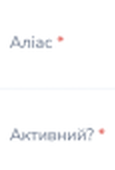
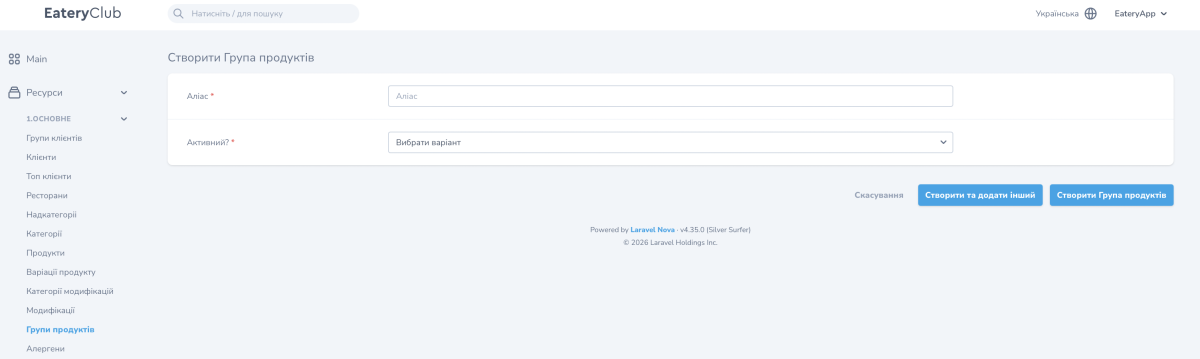
- «Аліас». The internal name of the group in the admin panel.
- «Активний?». A guest does not see an inactive group, even when every product inside it is active.
- The form marks both fields with an asterisk. In «Активний?», select «Так» (yes) or «Ні» (no) from the list; select «Так» for the group to be shown to guests.
Guests see the translations of the group name, so fill them in for every language.
How to create a group
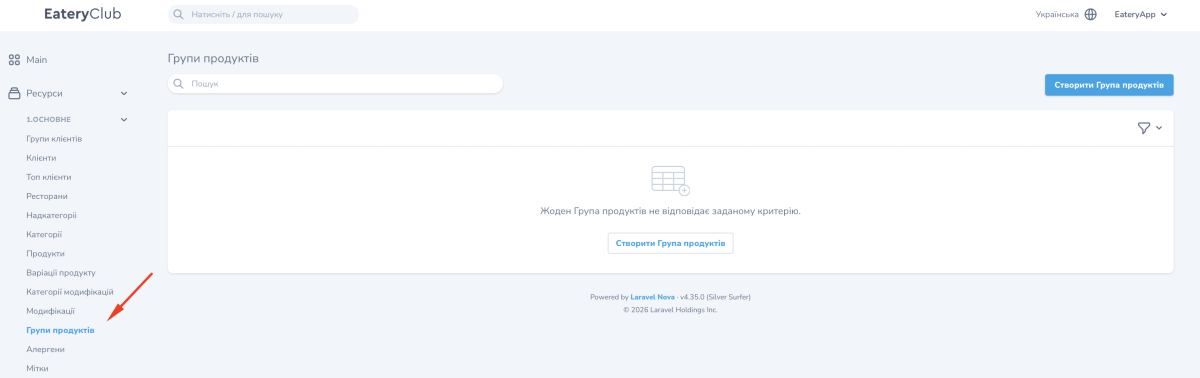
- Open «Ресурси» (resources), the «1.ОСНОВНЕ» (main) group, the «Групи продуктів» item, and click «Створити Група продуктів».
- Enter the «Аліас», for example latte, and select «Так» (yes) in «Активний?».
- Save the group.
- Open the group through «Перегляд» and fill in the «Переклади» block: the name for every language.
- Open the card of every product in the group through «Редагувати», select the group you created in the «Група продуктів» field, and click «Оновити продукт».
When a guest sees the group
The group is shown to guests when the group itself and the products inside it are active. Every product in the group must be:
- active;
- available for ordering;
- linked to the restaurants you need.
A product that fails at least one of these conditions disappears from the switch inside the card. Where these settings are on the product card is described in the guide to products in the admin panel.
Where to find it in the admin panel
«Ресурси» (resources), the «1.ОСНОВНЕ» (main) group, the «Групи продуктів» item: the list of groups and their status. The group card opens from here, with the translations and the list of products.