Product variants: sizes and packaging
Product variants come from the POS system during menu synchronization. How to check the list of variants and attach an existing variant to a product.
Updated: 07.10.2026This section lists the product variants that came from the POS system: sizes, volumes, and packaging. The list shows which variants were synchronized.
Where variants come from
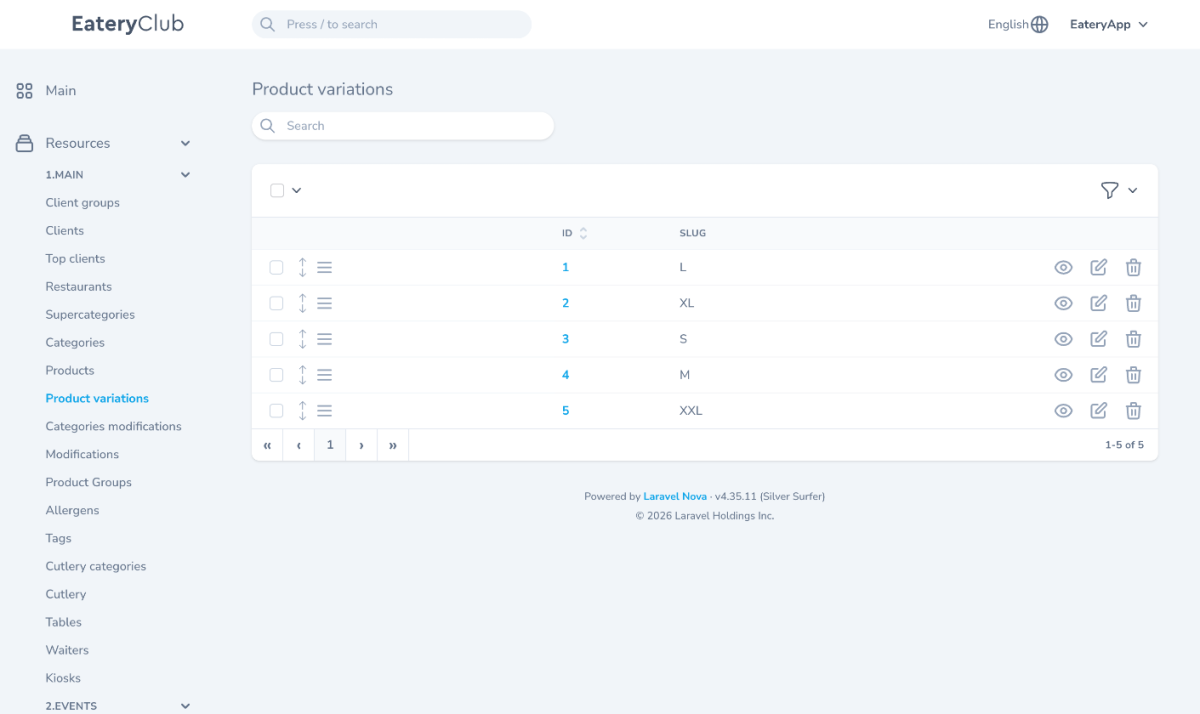
Variants come from the POS system: menu synchronization adds them to the admin panel automatically. On the screenshot, this section has no button for creating a variant.
To attach an existing variant to a product, open the product for viewing. In its product variations block, click the attach button, pick the variant from the list, and confirm. The attached variant then appears in that block.
If the variant you need is missing from the list
Add the variant in the POS system first, then run menu synchronization. The variant appears in the list after synchronization.
Where to find it in the admin panel
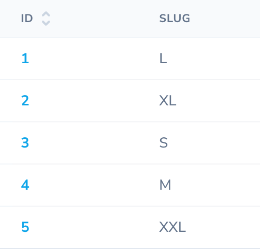
The English index is “Product variations” under “1.MAIN”; its columns are “ID” and “SLUG”. The screenshot shows L, XL, S, M and XXL. No creation button is visible on this index screenshot.
The list of variants.