
Bottom navigation icons of the app
The «Іконки нижньої навігації» record in the Eatery Club admin panel: the button identifiers and how to upload an icon for a row.
Updated: 07.10.2026The «Налаштування» (settings) section, record «Іконки нижньої навігації» (bottom navigation icons), is where the icon images for the mobile app’s bottom navigation buttons are set.
The labels quoted here follow the historical Ukrainian screenshots in this article; your admin panel may show different labels.
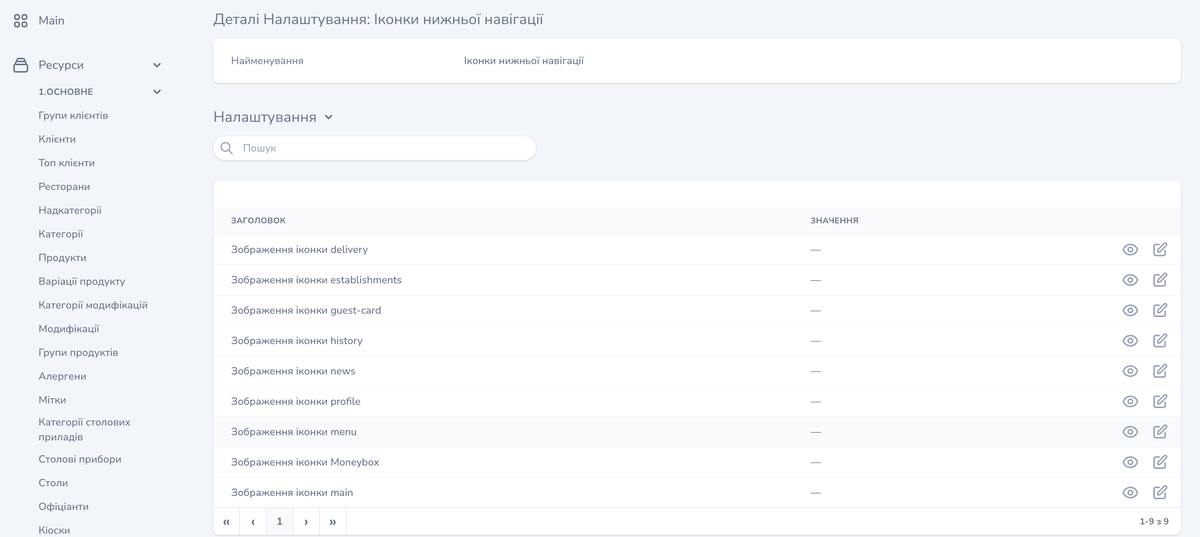
The «Налаштування» block shows the rows of the set in a table with the «ЗАГОЛОВОК» (heading) and «ЗНАЧЕННЯ» (value) columns. Each row corresponds to one button identifier, the «ЗНАЧЕННЯ» column shows the image uploaded for that row, and the right side of the row carries its own view and edit controls.
The identifiers in the set
- «Зображення іконки delivery»
- «Зображення іконки establishments»
- «Зображення іконки guest-card»
- «Зображення іконки history»
- «Зображення іконки news»
- «Зображення іконки profile»
- «Зображення іконки menu»
- «Зображення іконки Moneybox»
- «Зображення іконки main»
The list shows which identifiers the panel lets you upload an icon for. The set of buttons in the app depends on your project’s configuration.
How to upload an icon
- Open «Ресурси» (resources), the «6.Налаштування» (settings) group and the «Налаштування» (settings) item, then find in the list the «Іконки нижньої навігації» record.
- Find the row for the identifier you need.
- Use the edit control in that row: the «Оновлення Налаштування» form for that row opens, with the «Значення» (value) field.
- Click «Add New Media» and pick a file. The field takes a single file.
- Click «Оновити Налаштування» (update the setting).
Return to the settings table and check that the selected row shows the image you uploaded.
The «Оновити та продовжити редагування» button saves the change and keeps the form open. The «Скасування» button closes the form without saving.

