
Guest avatars: the default set
The «Аватарки» record in the Eatery Club admin panel: the default guest images per gender and how to replace any of them.
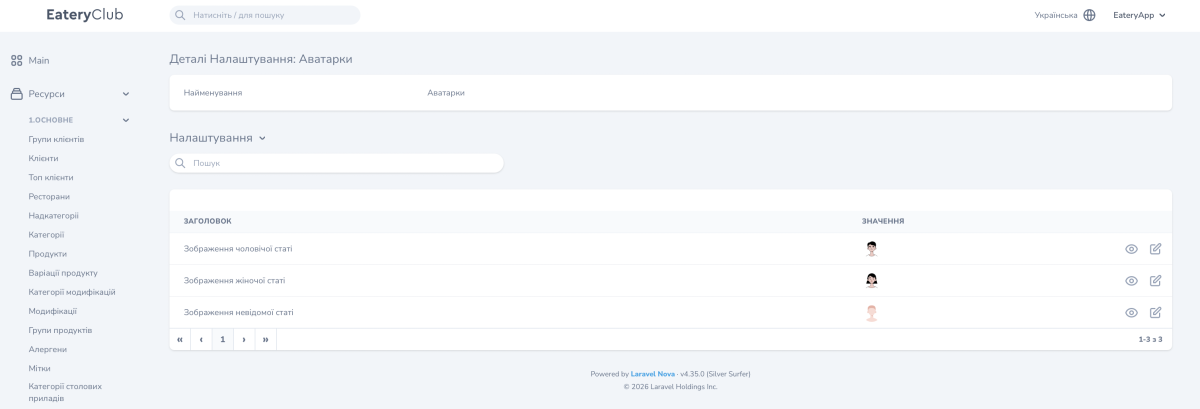
Updated: 07.10.2026The «Налаштування» (settings) section, record «Аватарки» (avatars), is where the default guest images per gender are set. The current image is shown in the «ЗНАЧЕННЯ» (value) column.
The labels quoted here follow the historical Ukrainian screenshots in this article; your admin panel may show different labels.
The three settings of the set
- «Зображення чоловічої статі» (male image): the default image for a male guest.
- «Зображення жіночої статі» (female image): the default image for a female guest.
- «Зображення невідомої статі» (unknown-gender image): the default image for a guest whose gender is not set.
How to replace an image
- Open «Ресурси» (resources), the «6.Налаштування» (settings) group and the «Налаштування» (settings) item, then find in the list the «Аватарки» record.
- Find the row for the gender you need.
- Use the edit control in that row.
- Upload the new image and save the changes.
The updated image is shown in the «ЗНАЧЕННЯ» column of the same row.
