
Waiters: the list and ERP sync
How to open the Waiters list in the Eatery Club admin panel, refresh it with the ERP sync, and what to do when the list stays empty.
Updated: 07.10.2026The Waiters section (“Офіціанти”) is a directory of the staff who serve your tables. The list is filled from your POS or ERP system (the point-of-sale and back-office system your restaurant runs on) during a sync.
What the section contains
- the waiter list;
- search (“Пошук”) and a filter above the list;
- the ERP sync action.
If you need to add a waiter or change their details, contact Eatery Club support to check how this is set up for your project.
Refresh the waiter list
- In the sidebar, open Waiters (“Офіціанти”).
- Above the list, open the actions menu: the “…” button, or the “Дії” (actions) list, depending on your panel version.
- Choose the ERP sync action.
- Reload the page and check the list.
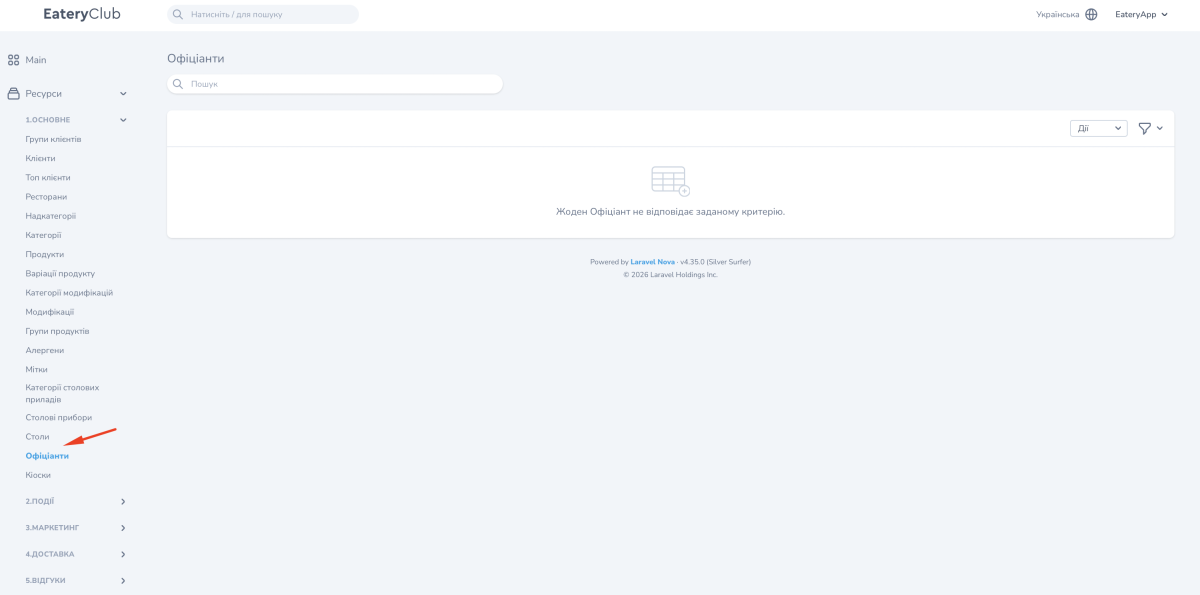
If the list is still empty, clear the search and filters first. Then confirm that the waiters exist in your POS or ERP system. If no records appear after a sync, contact Eatery Club support.
Waiters and tables
The table edit form has three fields: Table number (“Номер столу”), Name (“Найменування”) and Inactive? (“Не активний?”). This form has no waiter picker. If you need a waiter assigned to a table, contact Eatery Club support to check how that works for your project.
