Modification categories: option groups
Modification categories arrive from the POS system. How to set the order of options, fill in translations, and what to do if you no longer need one.
Updated: 07.10.2026A modification category is a group of options from which a guest picks add-ons for a product. For example, «Соуси», «Добавки», «Розмір», or «Добавки до ролів». The options inside a category are modifications.
Modification categories are created in the point-of-sale (POS) system, and they are linked to menu items there as well. They reach the admin panel during synchronization together with those links.
What you can do in the panel
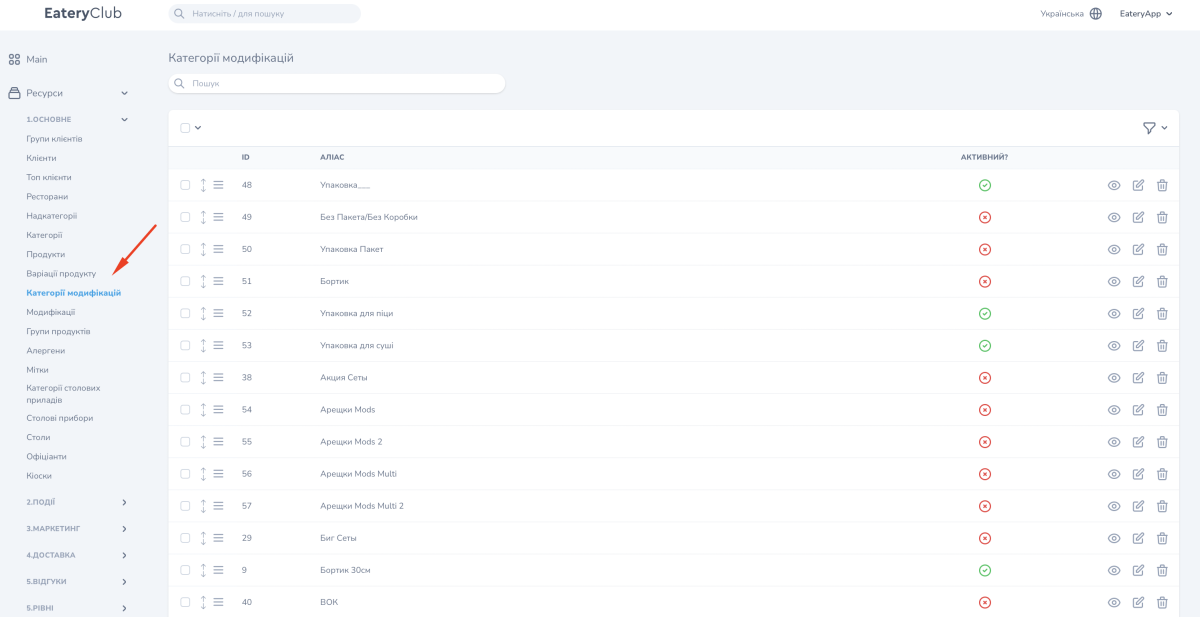
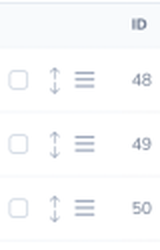
- set the order of the categories: it determines the order of the options in the menu and in the cart. The order is changed in the list: grab a row by the drag handle on the left and move it;
- activate or deactivate a category;
- fill in the translations of the name for every language;
- review the modifications inside a category.
A guest sees only active categories and the active modifications in them. Without a translation the category name is displayed incorrectly, so fill in the translations both for the category and for every modification in it.
If you no longer need a category
Deactivate the category: it will disappear from the menu, and the data in the POS system will not change. If the category has to be deleted, contact Eatery Club support.
Where to find it in the admin panel
«Ресурси» (resources), the «1.ОСНОВНЕ» (main) group, the «Категорії модифікацій» item: the list of categories that arrived from the POS system. «Перегляд» opens the category card with the translations and the list of modifications.
The same categories are visible on the product card: it shows every category and modification linked to that product. The procedure for the cards is described in the guide to products in the admin panel.