Webhooks: configuring the links
Where the Webhooks section sits in the Eatery Club panel, what the Order links setting holds, and what to check with support before you change it.
Updated: 07.10.2026The Webhooks section (“Вебхуки”) holds the Order links setting (“Посилання для замовлення”), which stores a list of addresses. This article shows where those addresses sit in the panel and why they are not changed without support.
Opening the section
Names of sections, fields and buttons are translated here; the Ukrainian originals in parentheses are taken from the screenshots. Your panel may show the labels in another language.
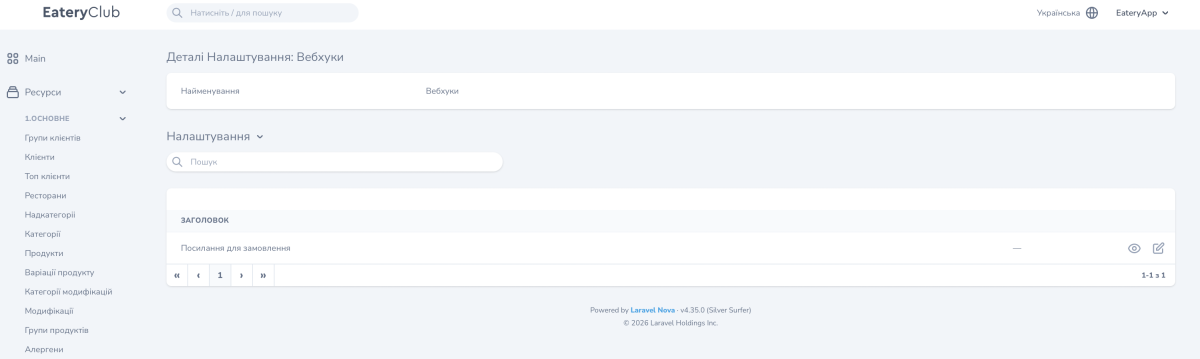
Open Resources, the 6.Settings group, then Settings (“Ресурси”, “6.Налаштування”, “Налаштування”) and choose Webhooks (“Вебхуки”) in the list. The card “Деталі Налаштування: Вебхуки” opens.
The card has two blocks. At the top is the Name (“Найменування”) field with the value Webhooks: that is the name of the section itself. Below it is the Settings (“Налаштування”) table with the Title (“Заголовок”) column. The table has the Order links row. Two actions sit at the right of the row: view and edit (the pencil).
The Value field
Click the pencil in the Order links row. The edit form has one field, Value, and it works as a list: every address takes its own row, rows are added with a button, and they are removed one at a time. No format guidance appears under the field.
What to check before you change it
The admin panel shows the addresses and nothing else. How the system uses them is not shown there, so the contents of the field do not tell you what an edit will change.
Before you add, change or remove an address, contact Eatery Club support and describe the integration you are setting up. It helps to name the external service, the address you plan to enter, and who maintains it on your side.
Where to find it in the panel
The Webhooks card with its settings table: