
Roles and Permissions: Custom Roles
What access levels an Eatery Club account has before any custom role, how to create a custom role, and how to change an existing role’s permissions.
Updated: 04.09.2026A role defines a set of permissions for the sections of the admin panel. Custom roles are created by the account Owner, and the section is available only to them.
Access levels an account has before any custom role
- Owner (
owner). Full access, including payment systems, roles and review moderation. - Administrator (
administrator). Everything except system sections and payment keys.
Every other access scenario is covered by custom roles. A marketer, for example, has no separate standard role: that access is granted through owner, administrator or a custom role you create.
How to create a custom role
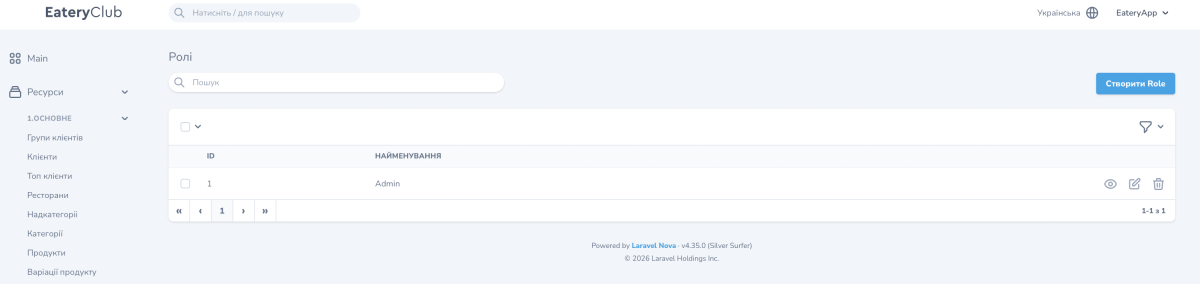
- Open the “6.НАЛАШТУВАННЯ” section, the “Ролі” subsection, and click “Створити Role”.
- Fill in the form: the role name that will appear in the list, and the permissions this role needs.
- Save the role.
How to change the permissions of an existing role
- Open the role for editing.
- Add or remove permissions.
- Save the role.
The change affects every user who has that role assigned.
The roles list shows “ID” and “Найменування”, the name, for every record. The role opens for editing from there.
Assigning a role to a specific user is covered in Eatery Administrators.
